Case Studies
Real examples of automation, integrations, and custom tools designed to streamline operations and reduce manual work.
Centralized Workflow & Operations App
Problem 1: Disconnected Processes Across the Business
Daily operations relied on spreadsheets, paper forms, email threads, and verbal updates. Nothing was centralized, making it difficult to track tasks, requests, or operational data.
Problem 2: Manual and Inconsistent Data Entry
Inventory counts, customer details, job notes, and internal requests were entered manually. Errors were common, updates were missed, and information was rarely current.
Problem 3: No Real‑Time Visibility Into Operations
Managers and owners lacked a single place to see what was happening across the business. Decisions were reactive because there was no reliable dashboard for inventory, requests, or job progress.
Solution
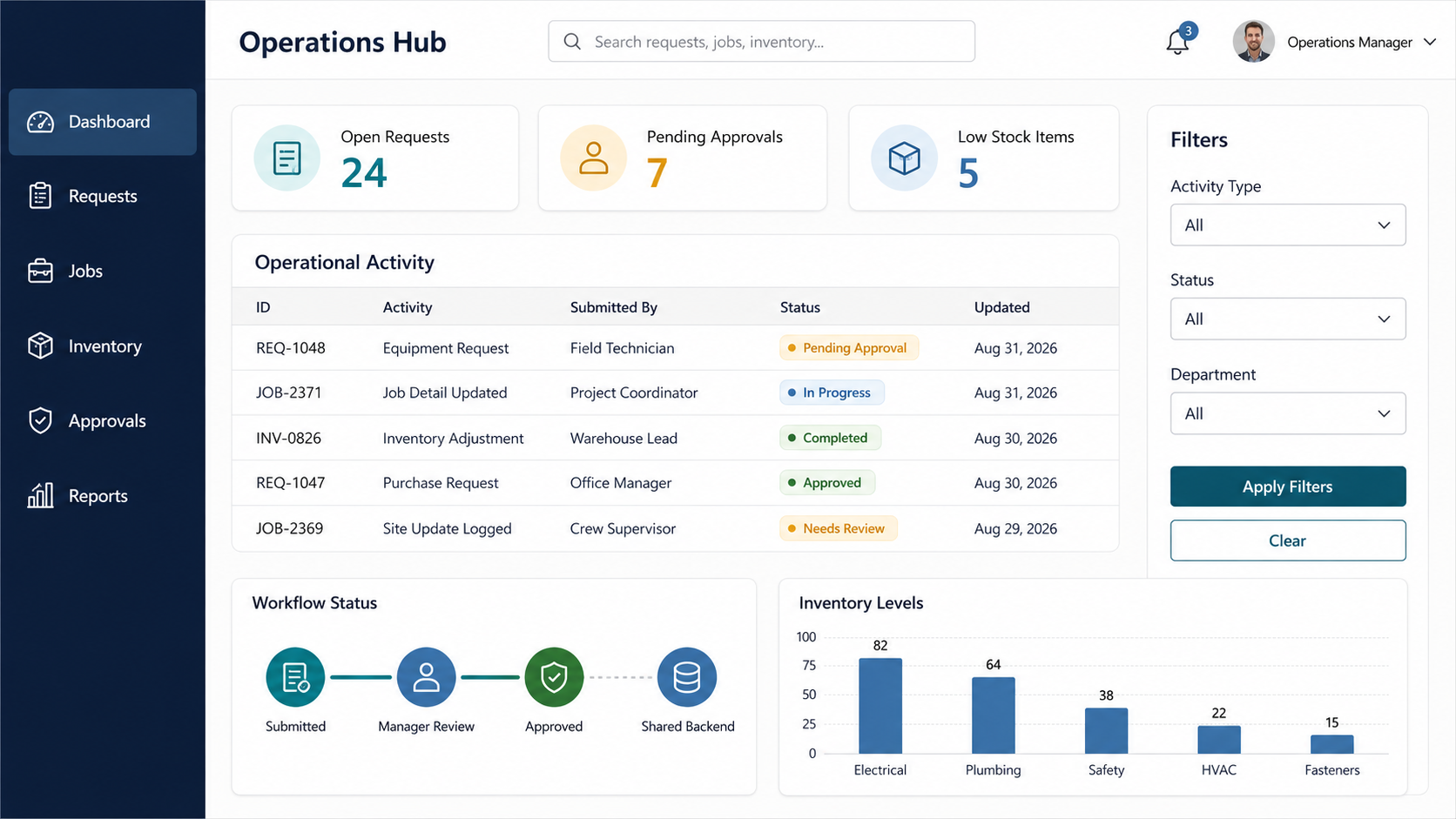
Power App that centralizes daily operations into one structured system. The app replaces scattered spreadsheets and email threads with guided forms, standardized workflows, and clean data capture. Employees submit requests, update job details, and log inventory changes through a unified interface. Managers review and approve items directly in the app, and all data flows into a shared backend for reporting. The system includes role‑based access, automated notifications, and real‑time dashboards that show inventory levels, open requests, and operational activity.
Impact
The business gained a predictable, organized workflow that eliminated manual tracking and disconnected tools. Employees now use a single system for requests and updates, managers have clear visibility into daily operations, and leadership can make decisions using real‑time data. The app reduced errors, improved communication, and created a scalable operational foundation that supports growth without adding administrative burden.
Timesheet Review System
Problem 1: No Unified Review Process
Managers had no centralized way to load weekly timesheets, review punches, or approve submissions, leading to inconsistent workflows across sites.
Problem 2: Manual and Error-Prone Corrections
Punch corrections required back‑and‑forth communication and manual edits, with no structured method to adjust events, preserve history, or maintain audit integrity.
Problem 3: No Safe Rollback or Revision Control
Previously approved weeks couldn’t be safely rolled back or reopened without risking data loss, making it difficult to correct mistakes or update payroll records.
Solution
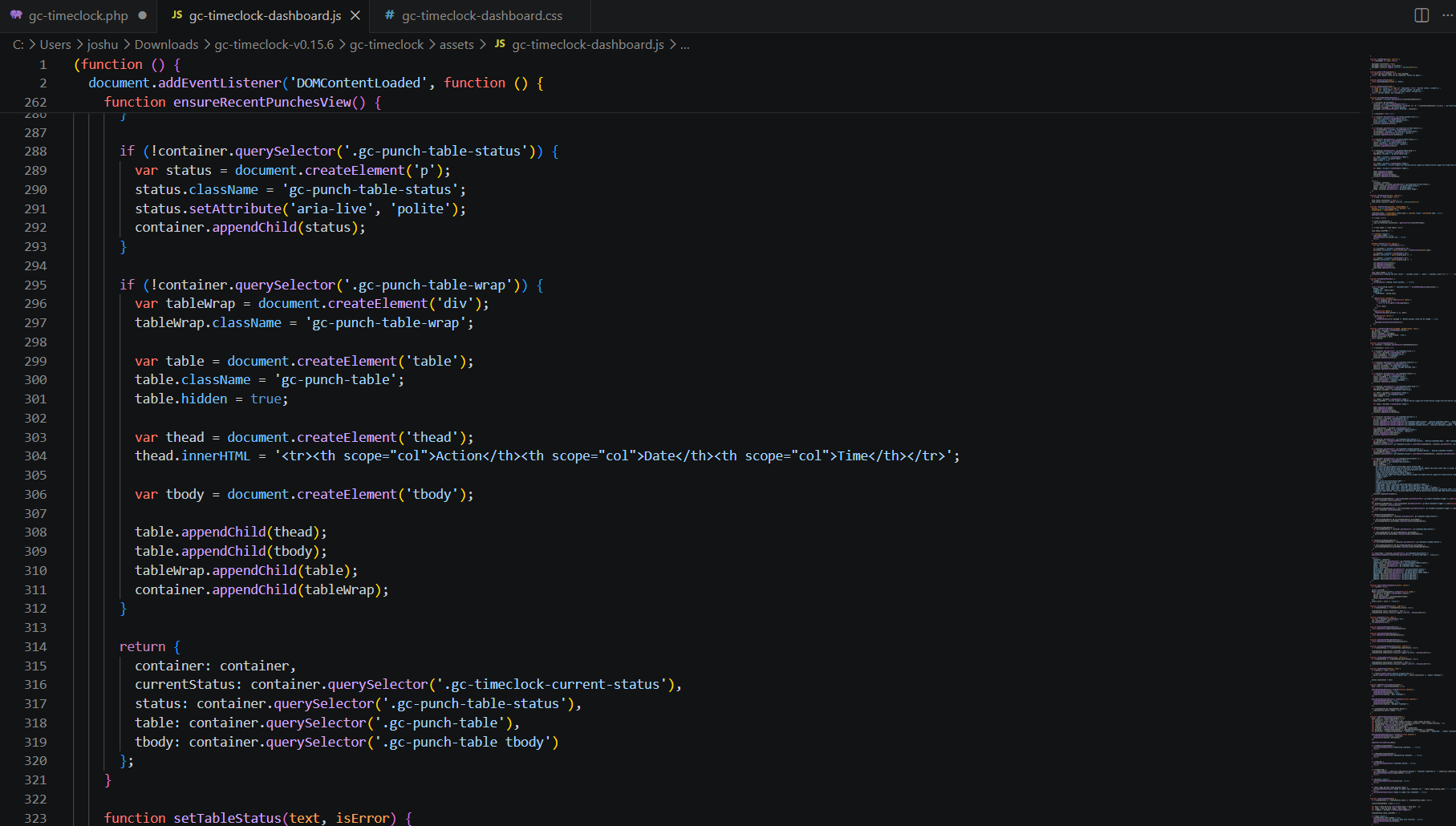
Built a structured manager review workflow inside WordPress with controlled roles, week selectors, punch‑event editing, and approval/rollback actions. The system loads participant punches, supports event‑based corrections, generates clean weekly submission snapshots, and posts lightweight payroll‑style rows to Power Automate and SharePoint. Rollbacks preserve history, reopen the week for correction, and update SharePoint using GUID‑based record matching.
Impact
Managers gained a predictable, auditable review process with accurate punch corrections and consistent approvals. Approved weeks can be safely rolled back without losing prior records. Workforce staff can filter participants, review multiple weeks, and manage corrections without relying on email or spreadsheets. The organization now has a stable, scalable workflow that keeps payroll data clean and reduces manual administrative effort.
Automated Approval Workflow
Problem 1: Inefficient Multi-Layer Approval Chain
Mobile phone requests had to pass through multiple layers of leadership, creating long delays and inconsistent turnaround times.
Problem 2: Requests Frequently Lost or Overlooked
Without a centralized system, requests were sent through email, verbal communication, and even paper, resulting in missed approvals and unclear ownership.
Problem 3: No Visibility for Requestors
Employees had no way to track the status of their request or know when leadership made a decision, leading to confusion and repeated follow‑ups.
Solution
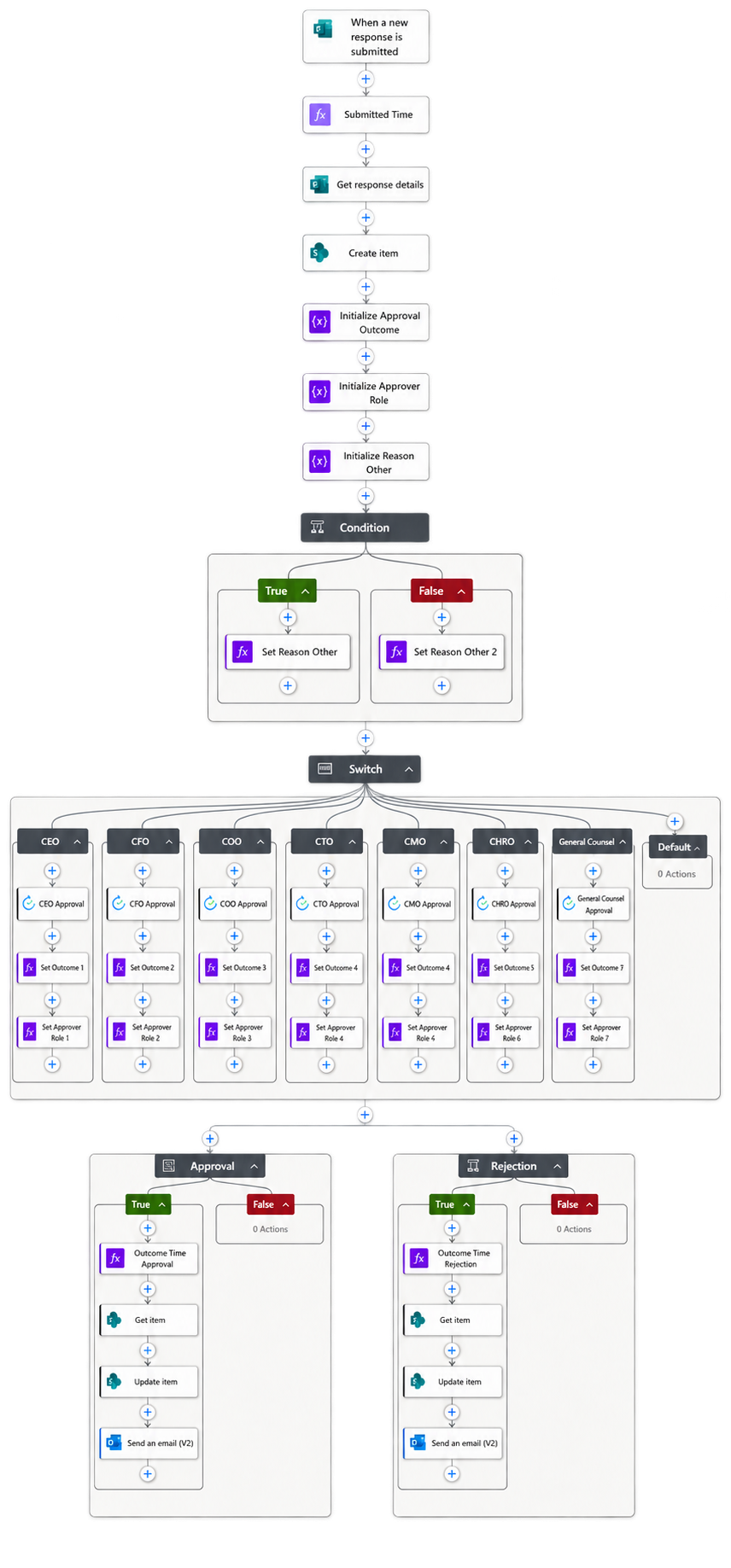
Built an in-house Power Automate workflow that routed mobile phone requests through the correct approval chain automatically. Each step was logged, tracked, and notified, eliminating manual follow‑ups and inconsistent communication.
Impact
Approval times dropped, requests stopped getting lost, and employees gained full visibility from submission to decision. Leadership received a clear, organized queue, improving consistency and accountability
Inventory Control System
Problem 1: No Centralized Inventory Tracking
Office supplies, uniforms, work gear, and IT equipment were tracked across spreadsheets, emails, and verbal updates. Staff had no reliable way to know what was available, what was assigned, or what needed replenishment.
Problem 2: Inconsistent Request and Approval Workflow
Employees used different methods to request items, and managers had no standardized process to review or approve requests. This led to delays, duplicate orders, and unclear accountability for both physical inventory and IT assets.
Problem 3: Limited Visibility Into Stock Levels and Asset Usage
Leadership lacked real‑time insight into inventory levels, equipment assignments, and consumption trends. Without accurate reporting, budgeting and forecasting were reactive instead of planned.
Solution
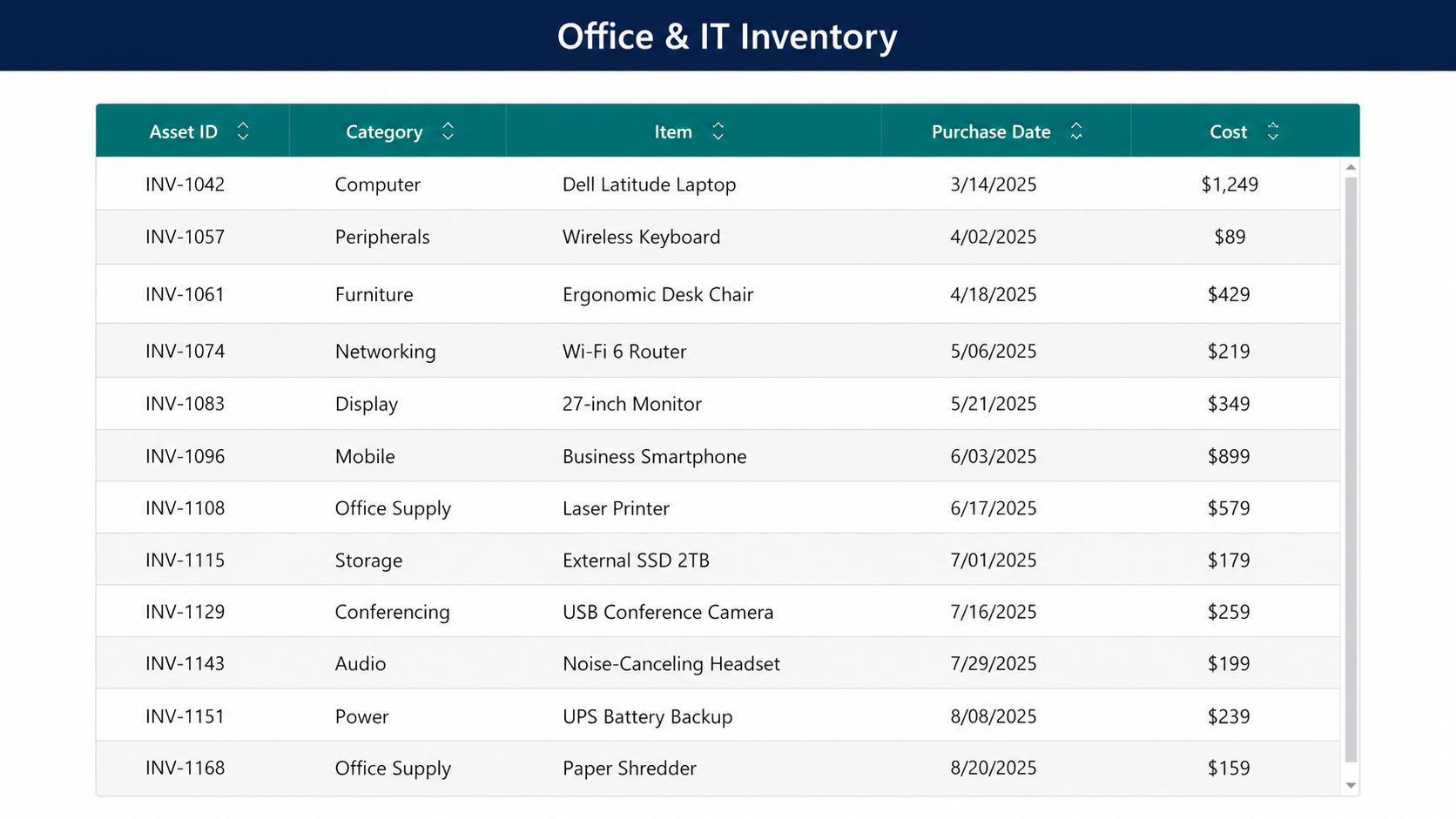
Power App that centralizes inventory management for office supplies, uniforms, work gear, and IT equipment. The app provides a structured request workflow, manager approval controls, and real‑time stock tracking. Employees submit item requests through a guided form, managers approve or deny with clear context, and inventory automatically updates when items are issued. IT equipment includes assignment tracking, return logging, and replacement workflows. The system uses role‑based access, low‑stock alerts, and reporting dashboards for usage trends, replenishment planning, and asset accountability.
Impact
The organization gained a predictable, transparent inventory process with accurate stock levels and clear equipment assignments. Managers can review and approve requests consistently, employees know exactly what is available, and leadership can plan purchases using real‑time data. The app reduced manual tracking, eliminated duplicate orders, improved asset accountability, and created a scalable workflow for managing supplies, gear, and IT equipment across multiple departments.